Pace

Onboarding Flow

Project Overview

Pace, was presented as a goal-tracking exercise app. It lets users set goals, track their progress, rate their workouts, and more. The ask was to design an onboarding flow.

Context

This was an exercise I did for UX Writing Hub.

Goals

  • Find solutions for the onboarding process
  • Use screens, pop-ups, or tooltips

What I Did

  • Task flow
  • User journey
  • User goal analysis
  • Wireframes and user flows
  • All copy

We were given the following brand voice guidelines and scenarios to work with.

Brand voice guidelines

  • Motivating: The voice should inspire users to push towards their goals and promote a sense of self-belief. It should be the encouraging coach that gets users excited to make progress.
  • Inclusive: The language should be accessible to people of all fitness levels and backgrounds. Avoid overly technical language and assume that users might be beginners.
  • Friendly: While maintaining a professional demeanor, the voice should also be warm and friendly to create a welcoming environment.
  • Helpful: The voice should offer clear guidance and useful advice, making users feel supported and understood.

Scenario

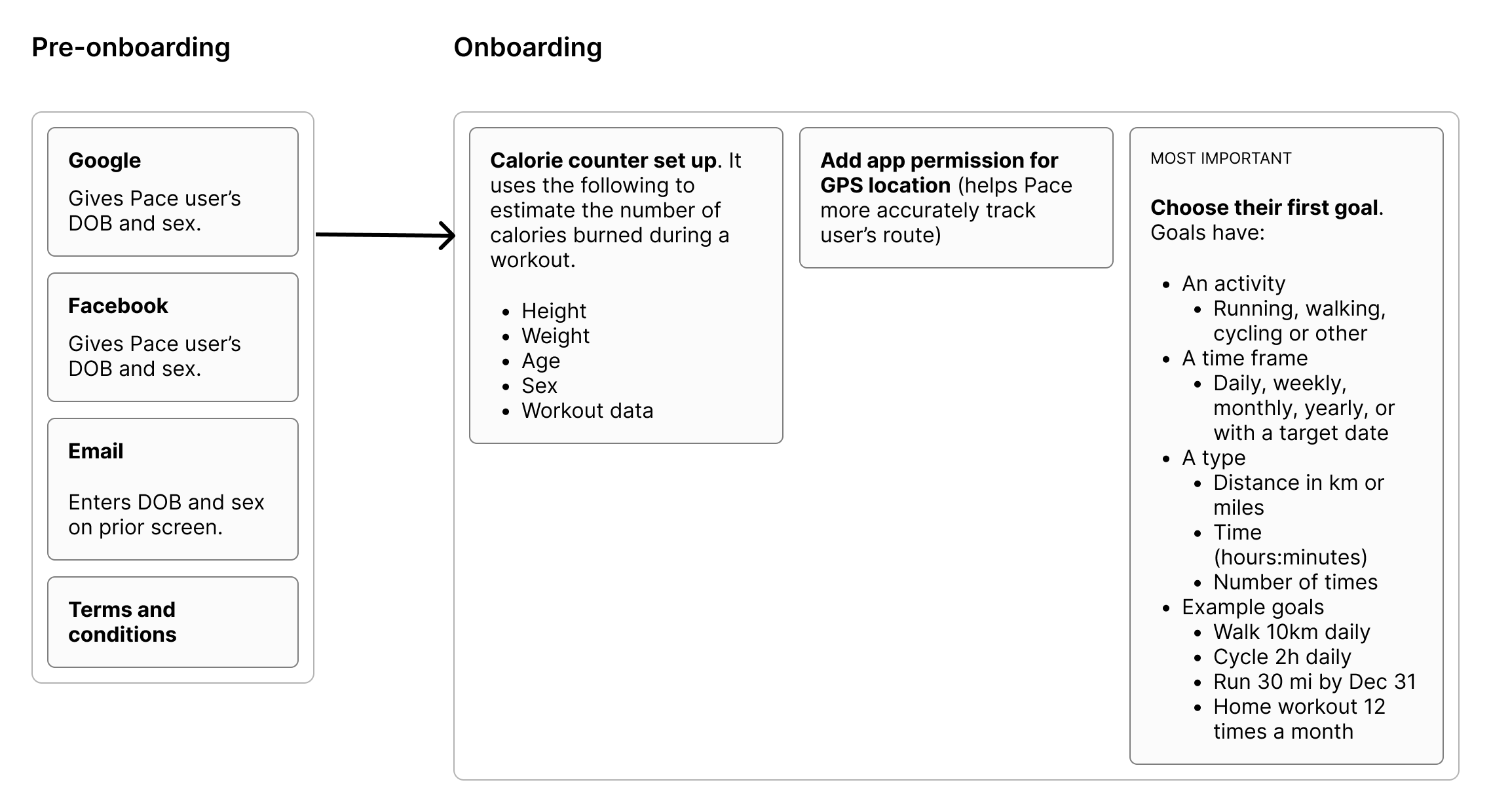
"Improve the user onboarding process. It begins after users have signed up and agreed to the terms of service. Most users sign up with their Google or Facebook accounts which gives Pace the users DOB and sex. Those who sign up with email enter this info on a prior screen. Onboarding begins after this."
Design
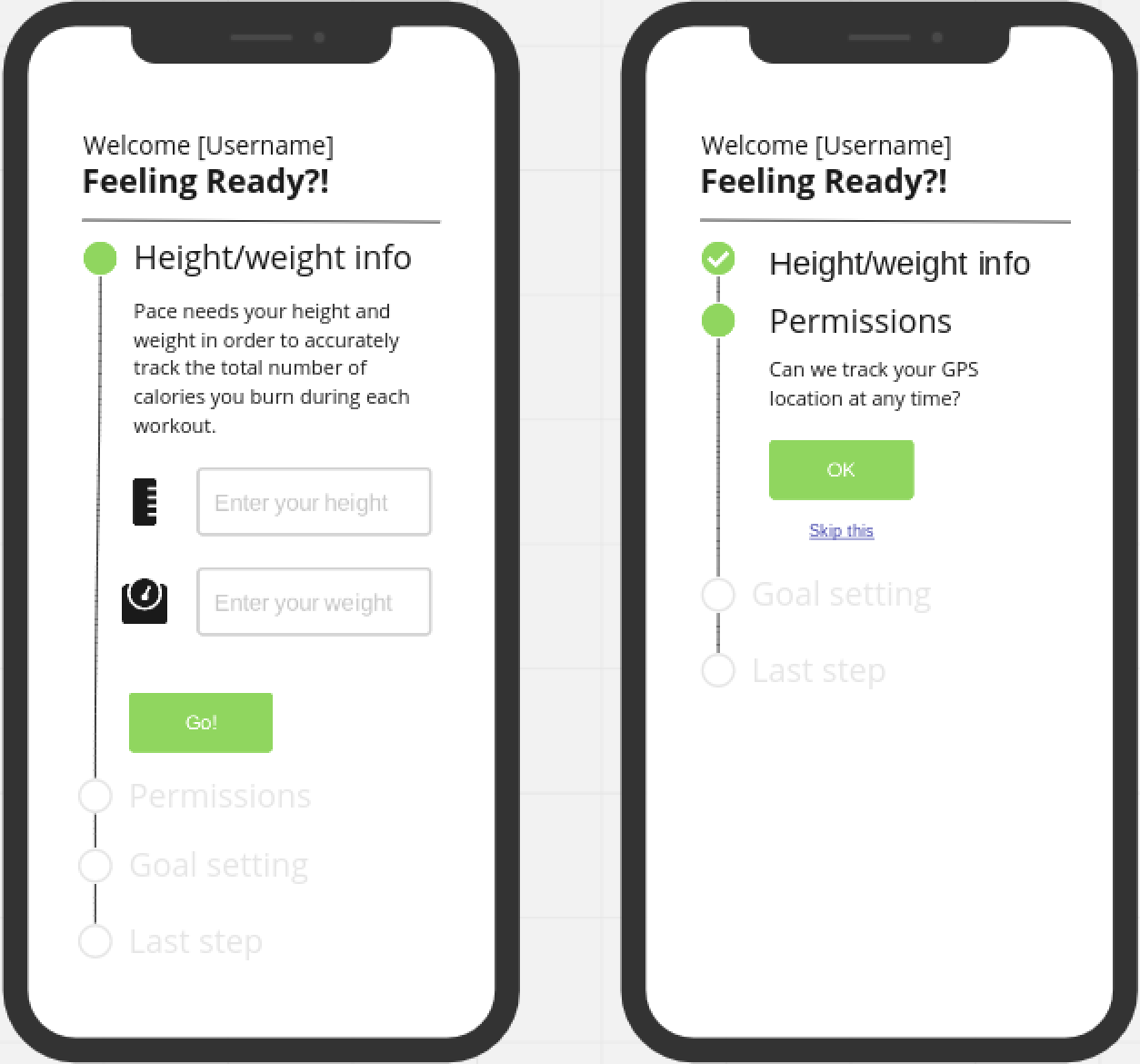
A rudimentary wireframe was provided as a reference. The first thing that caught my attention was the order of steps in the flow.
Probing questions
  • Why are the steps in this order?
  • Is there any other info we could pull immediately from Google.
    What about another health app user might have?
  • Anything else we’re using GPS tracking for?
  • Anything other considerations for onboarding, ie. sharing goals, progress, or participating in challenges with friends?

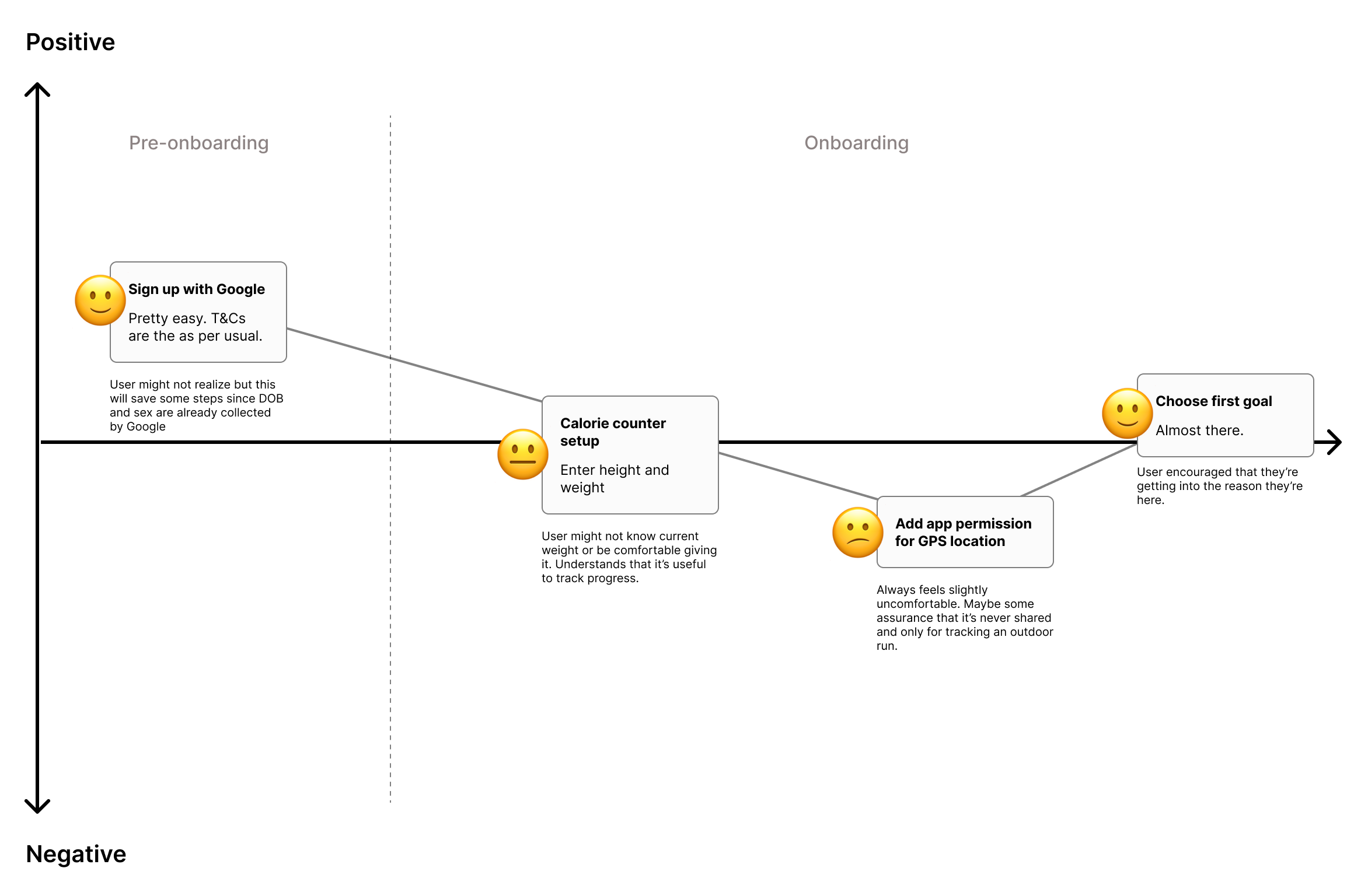
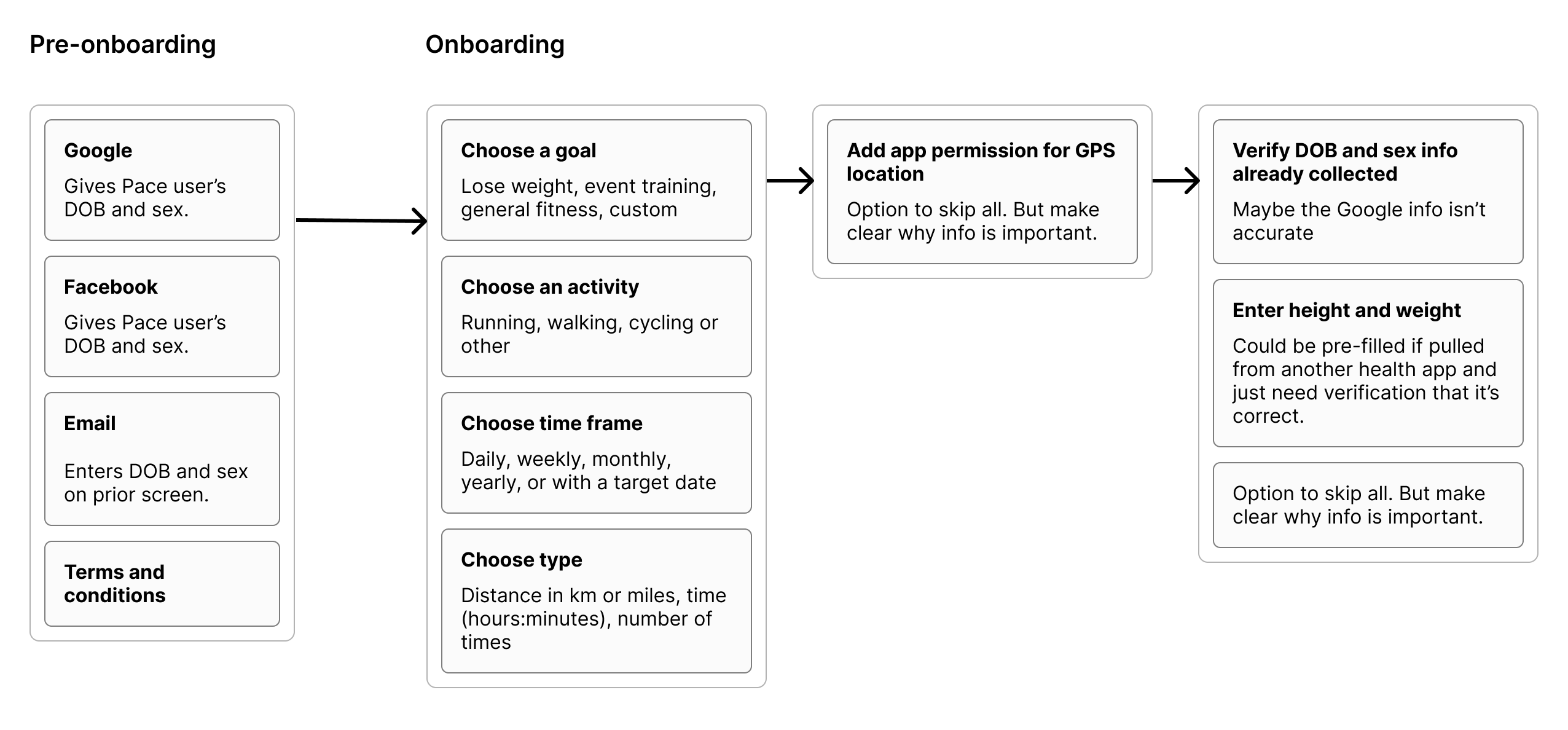
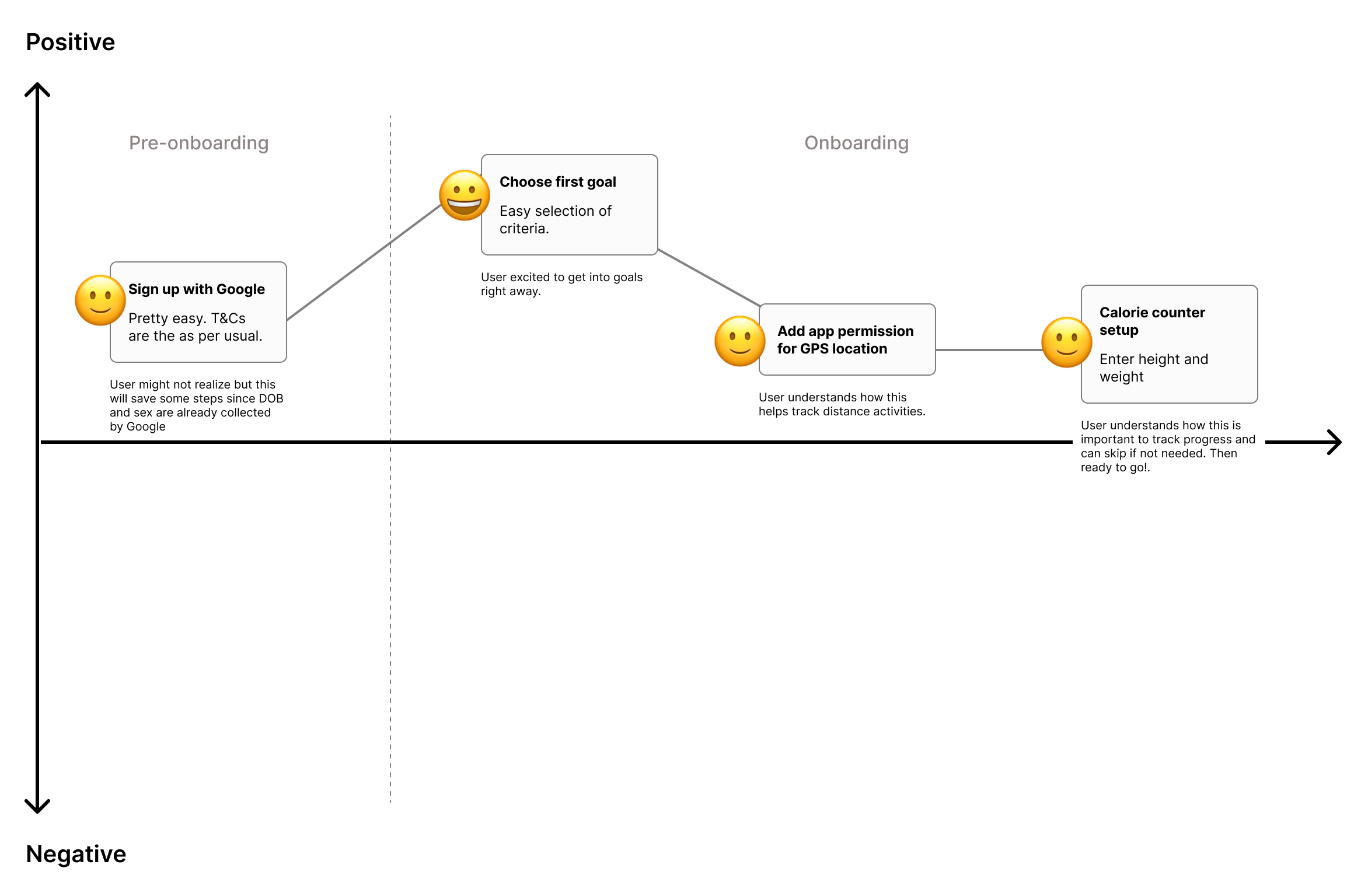
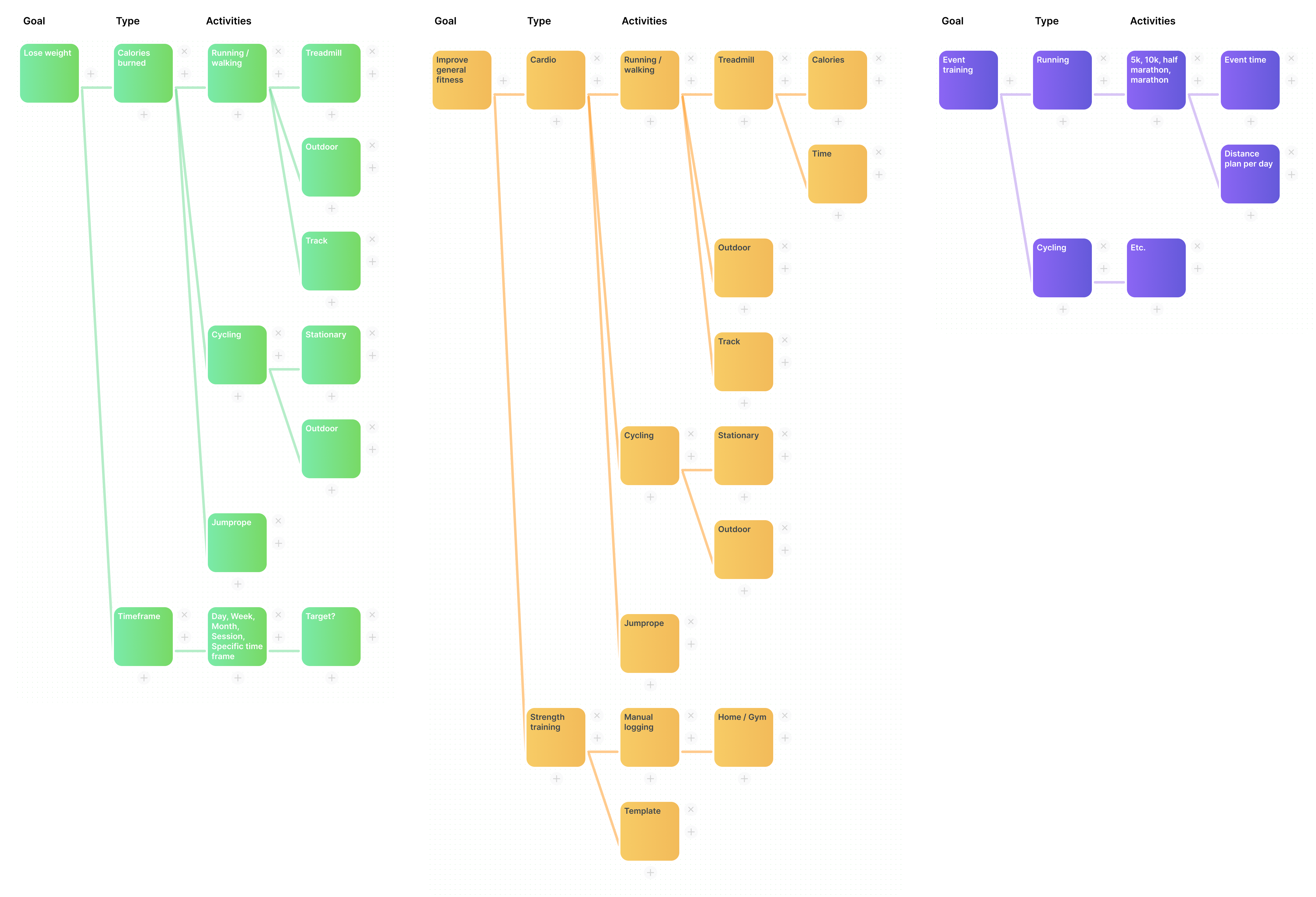
I mapped out the content required along with the suggested steps and created a user journey map. I felt like we could improve the experience by reordering the steps to give better context and ask for the right information at the right time.

Starting with the goal

If the user's primary intention is to set a health goal, we should start there. Asking for personal information like height and weight from the get-go might make them feel uncomfortable. Likewise, a user might be hesitant to allow GPS tracking if not in the right context. The timing of these steps is important so that they understand why we're asking for something that they might not be thrilled to provide.

I then brainstormed some likely goals that a user might have and what types of information might follow. Once we know the goal, we'll need to get more specific and find activities to track in support of that goal.

The Flow
Once a goal was selected, multi-step, customized flows with logic should follow those selections. Any asking for permissions or personal information should happen in context so it’s clear to the user why it’s necessary.
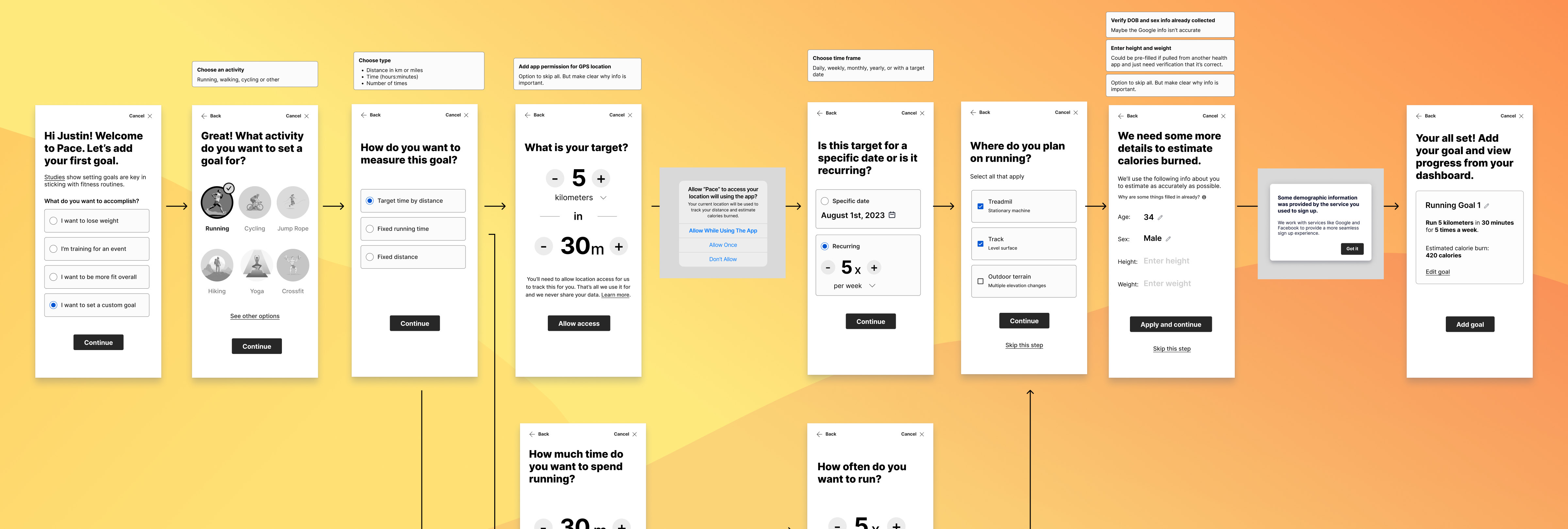
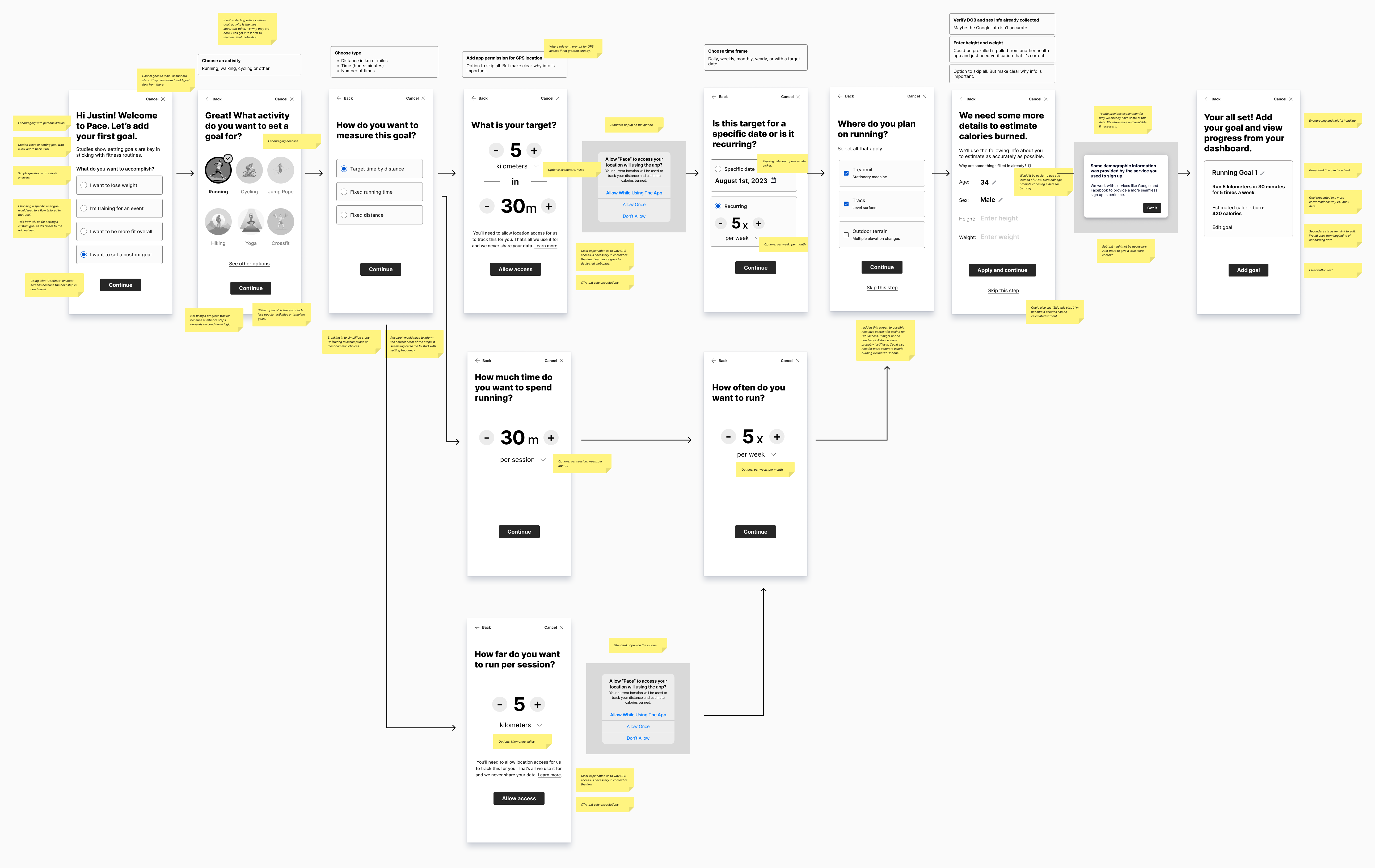
This would mean a much larger effort than probably warranted for this exercise. In the interest of keeping things at the right scale, I decided to start with a screen that would give options for flows based on specific-user oriented goals. I then only designed for the custom goal flow, which more closely matched the original ask. Most steps were simple dedicated screens. Popups and tooltips were appropriate to interrupt the flow and ask for GPS access and about personal info.

Key screens for setting a custom goal

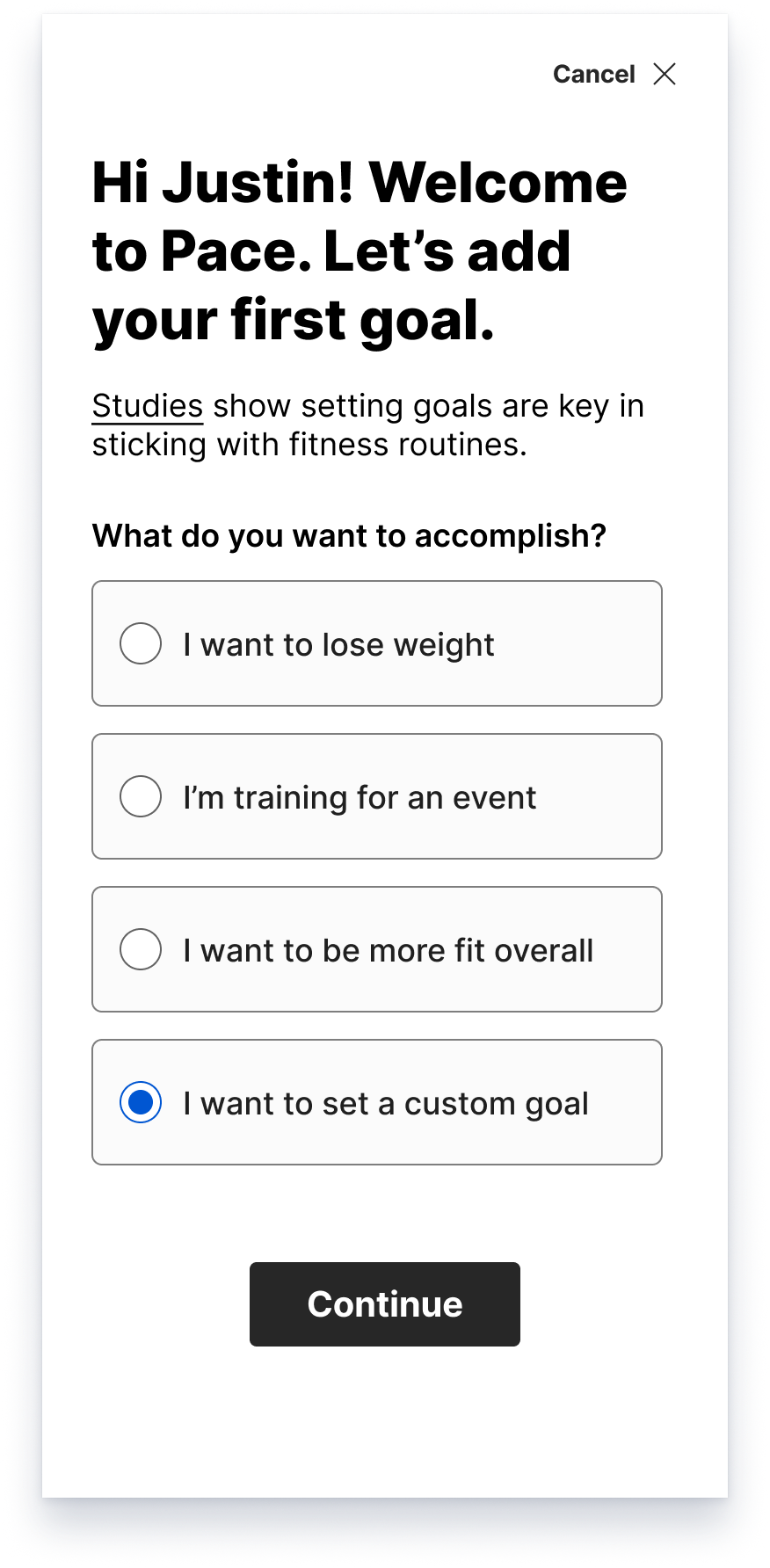
What is the user's goal?
Rationale
  • I chose to put a text label on the close action for accessibility.
  • Encouraging headline with personalization
  • A paragraph line to state the value of setting goal with a link out to back it up
  • Then we needed a simple question with simple answers.
  • Choosing a specific user goal would lead to a flow tailored to that goal. This flow will be for setting a custom goal as it’s closer to the original ask.
  • Going with “Continue” as button text for most screens because the next step and the number of steps are conditional. Progress tracking won't be displayed in this flow.
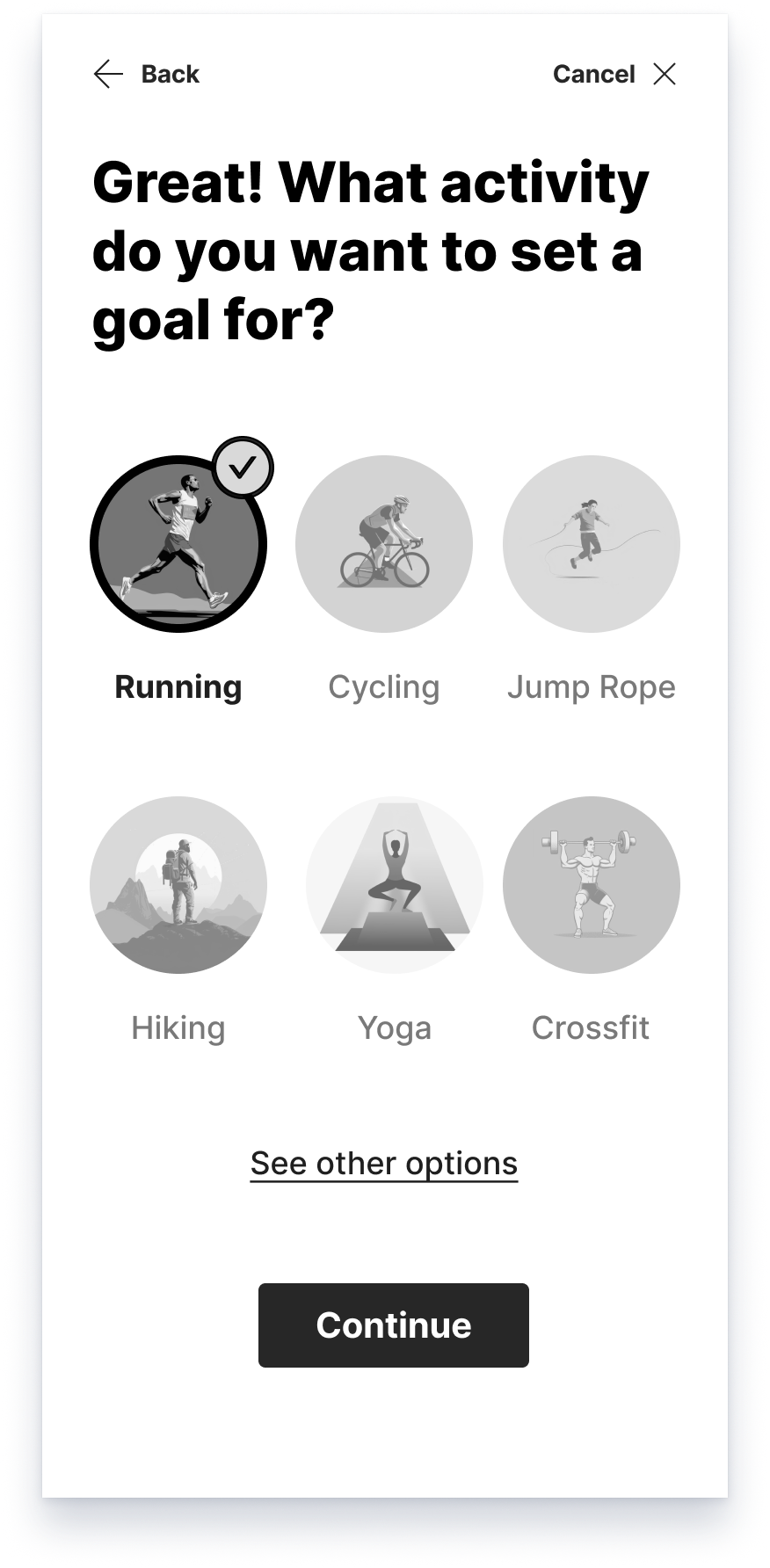
Choosing an activity
Rationale
  • I put the back action in the top left. Using a text label for accessibility.
  • A friendly, motivating headline. Tying it to the previous step
  • “See other options” is there to catch less popular activities
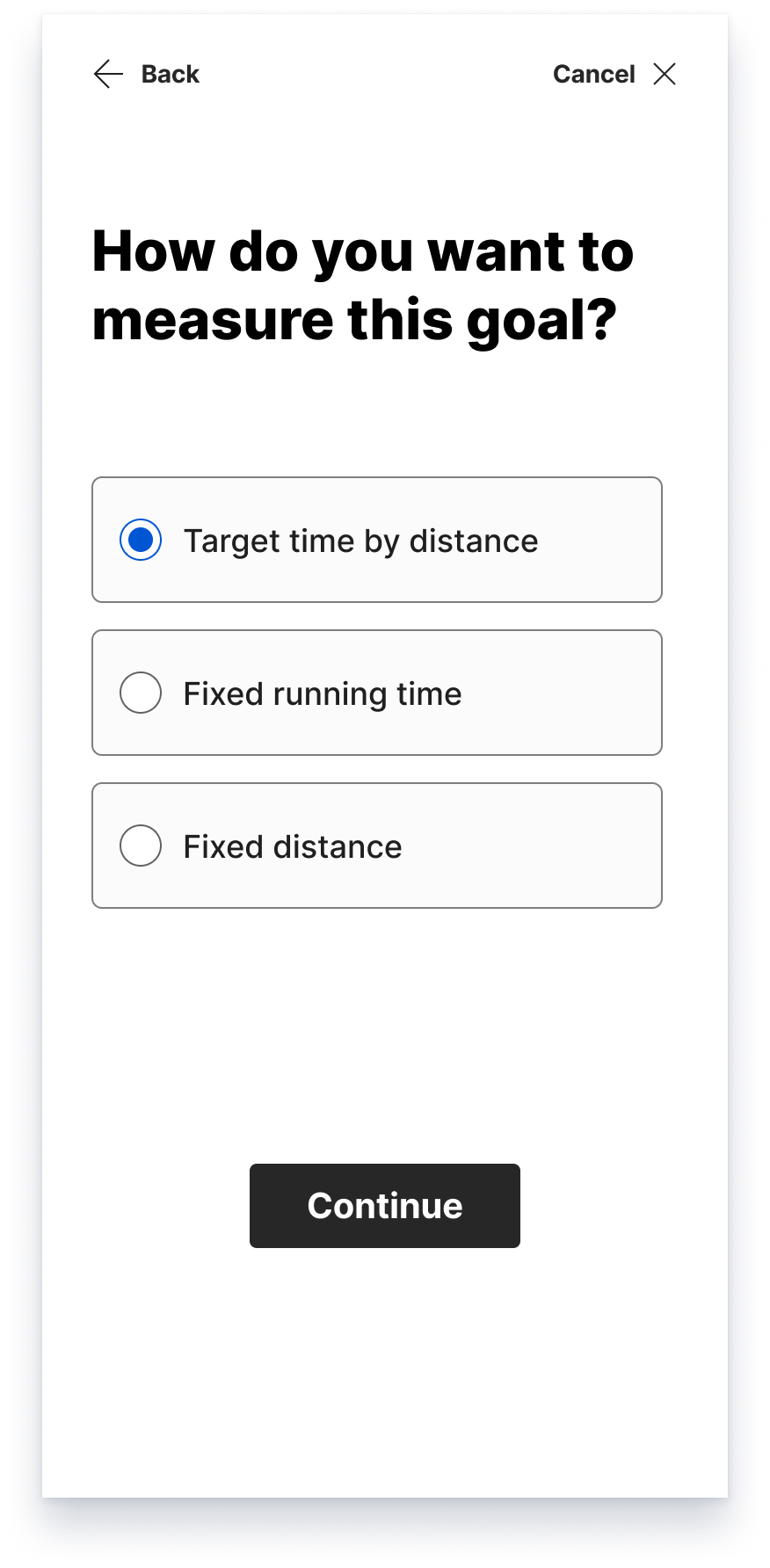
Choose how to measure it
Rationale
  • Using friendly and helpful language. Asking a series of simple, focused questions.
  • Defaulting to assumptions on most common choices.
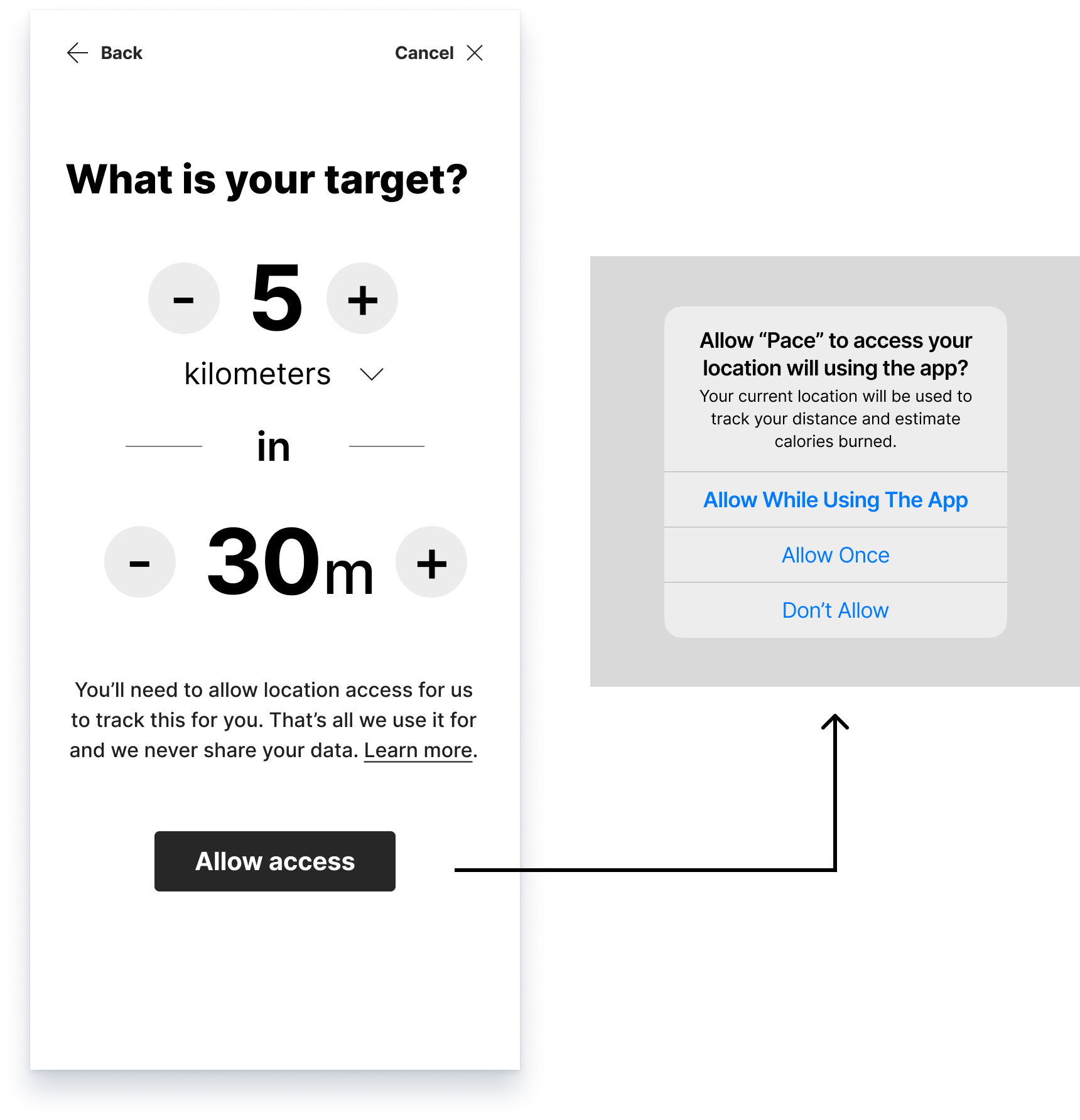
Setting the target and allowing GPS access
Rationale
  • A plainspoken question as headline
  • The user can set distance options: kilometers, miles
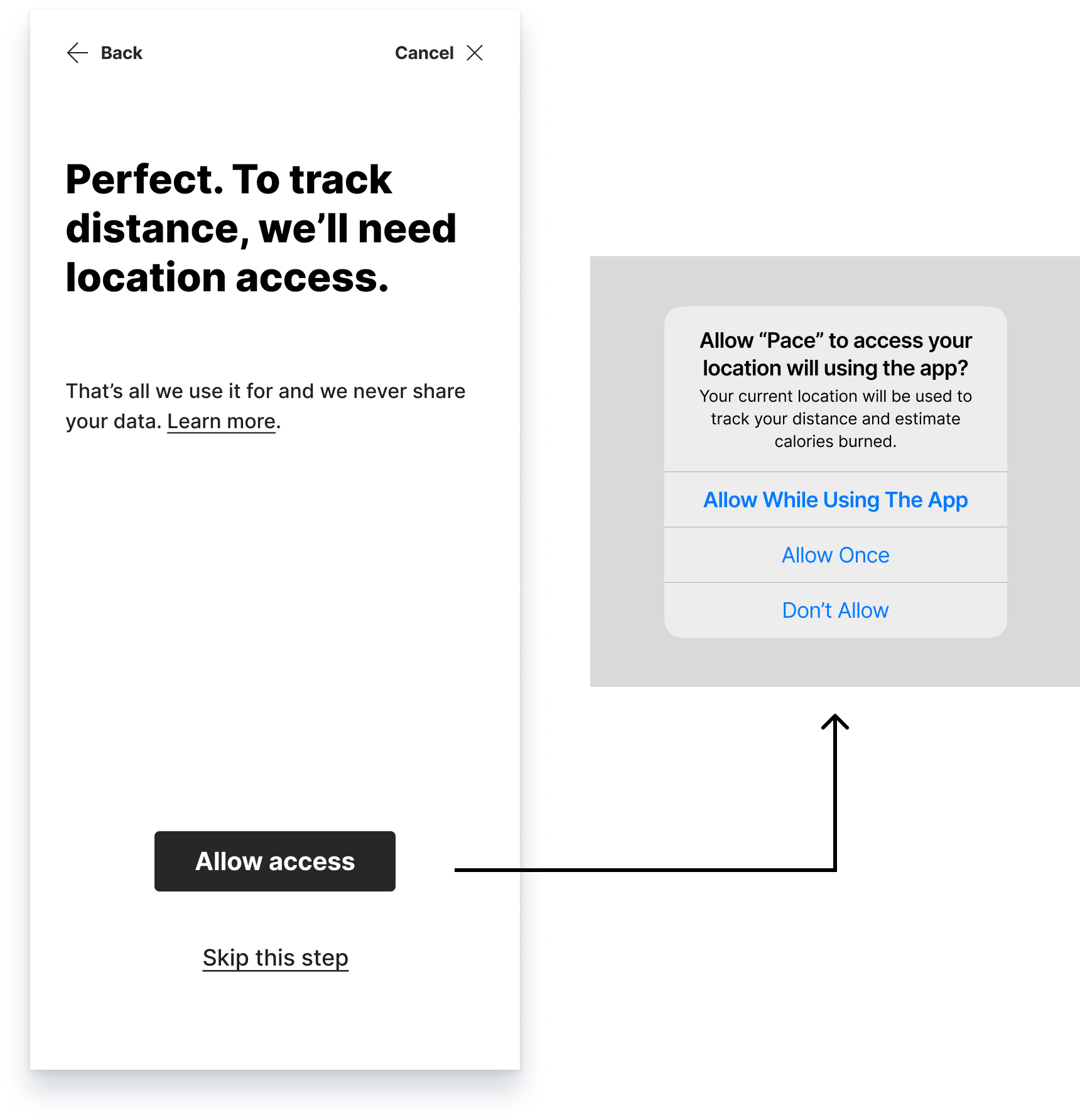
  • Paragraph clearly states why GPS access is necessary in context of the flow. Reassuring language stated that it's the only thing we use it for and we never share your data. "Learn more" goes to dedicated web page.
  • CTA text sets expectations
  • Standard popup on the phone, plainly reiterating how this will be used.
Finishing out the flow
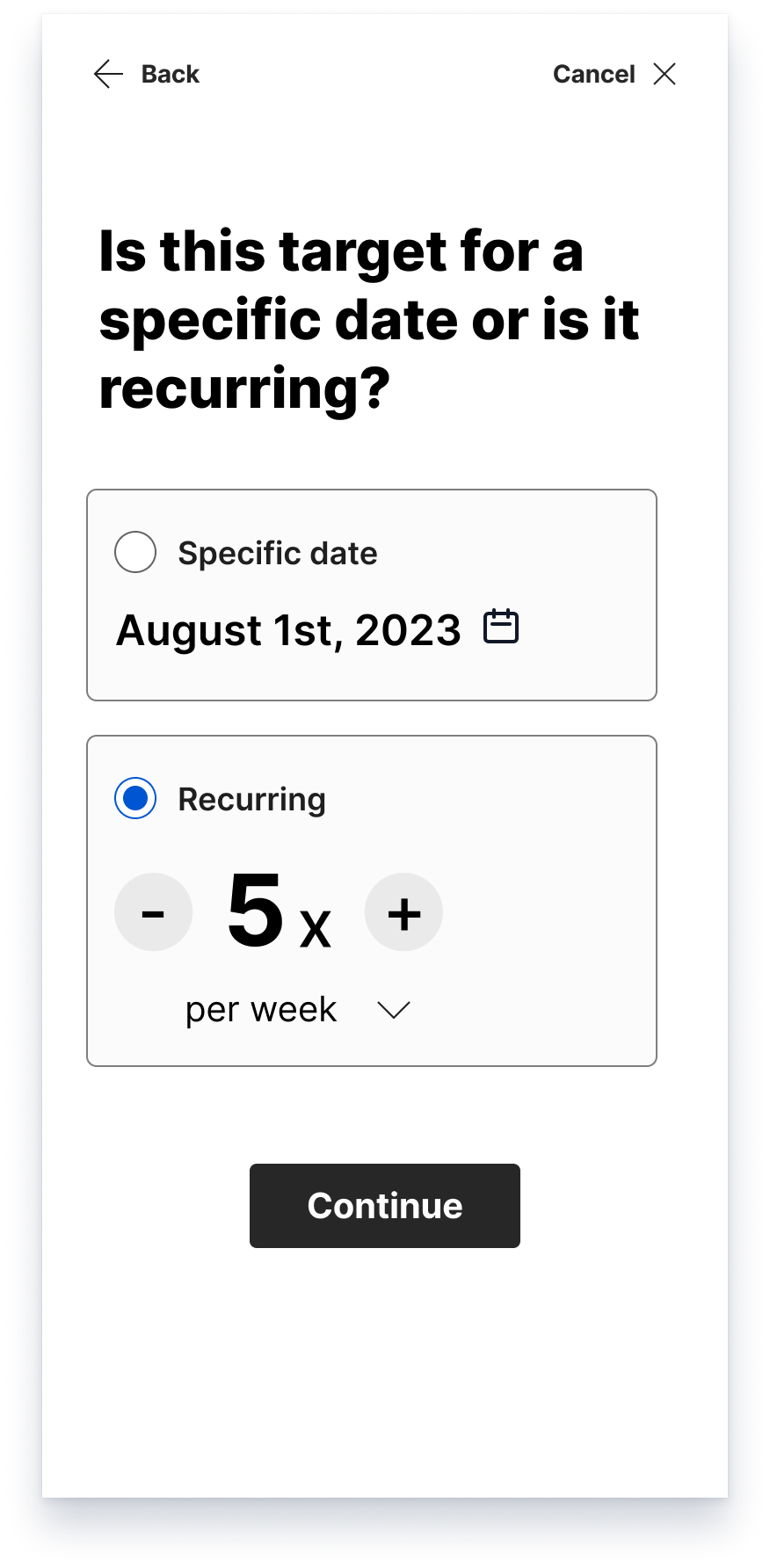
Target detail
  • The headline, asking a very plainspoken question.
  • The two options are clearly laid out and can be edited
  • Tapping the date opens a date picker.
  • The recurring option lets you set number and options: per week, per month
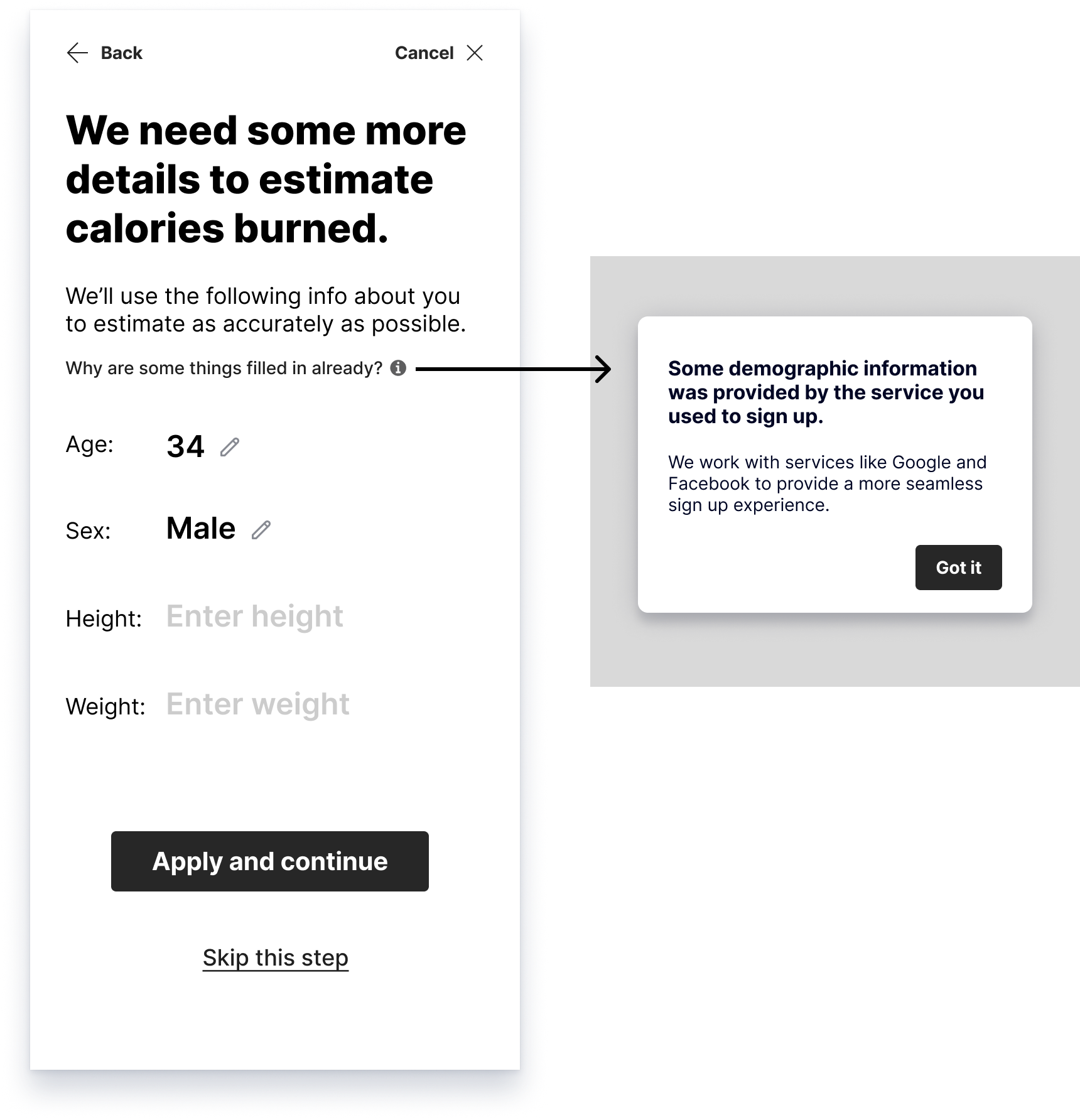
Personal information for accuracy
  • The headline says why we need more details. The paragraph states how we'll use it.
  • What are some things filled in? The tooltip will open a dialog explaining it.
  • The dialog explains why we already have some information. The first line may have sufficed, but I wanted to add more for context.
  • "Apply and continue" tells us this will be saved
  • A skip option is available for those who don't want it
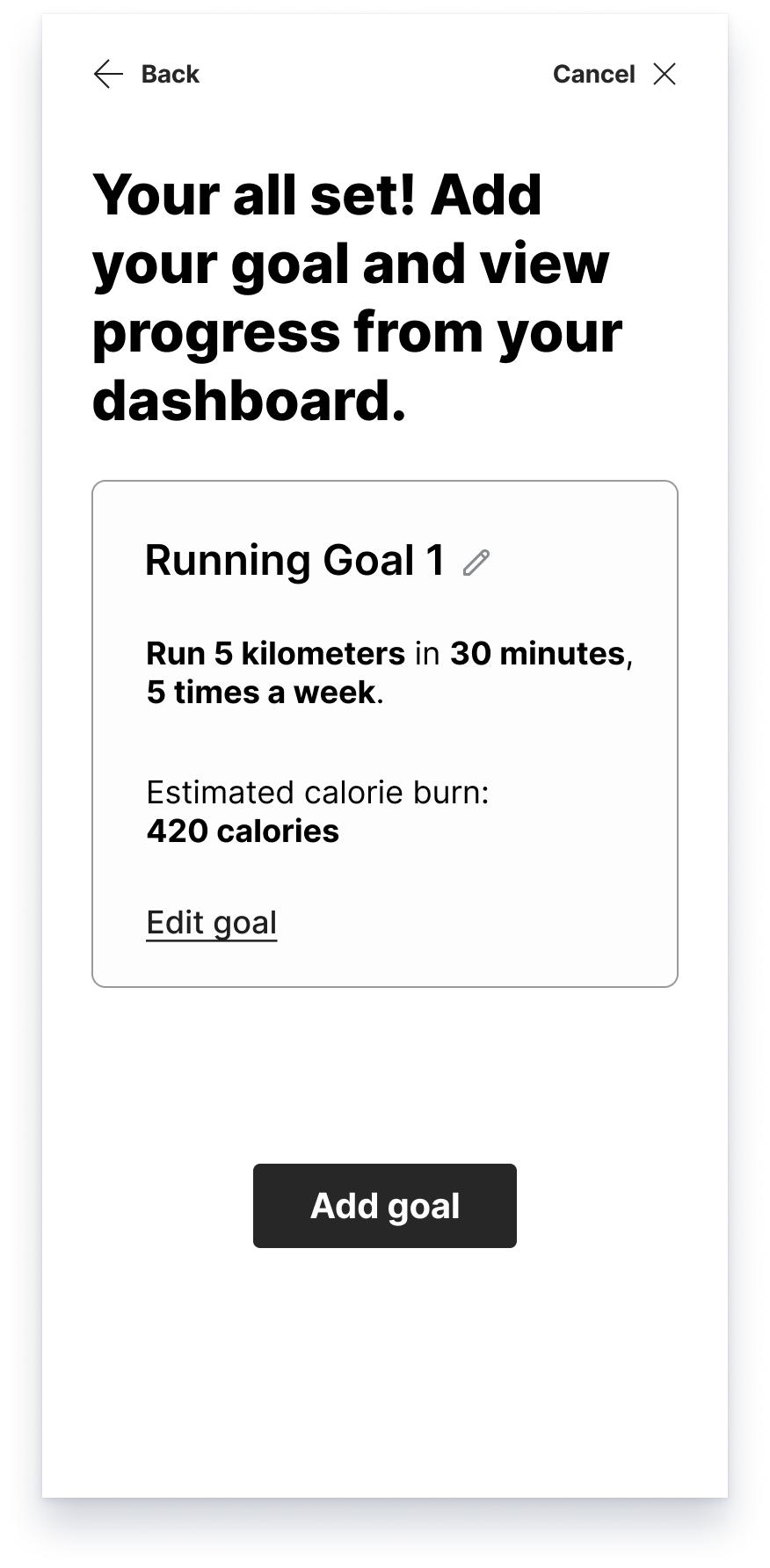
Review and add goal
  • Encouraging and helpful headline. Add and view later in the dashboard.
  • The goal title is generated and can be edited
  • I wanted to present the goal in a more conversational way vs. label: data. "Run 5 kilometers in 30 minutes, 5 times a week"
  • A text link is provided to edit the goal. It would start from the beginning of onboarding flow.
  • "Add goal" clearly states the action

An Alternative Using AI

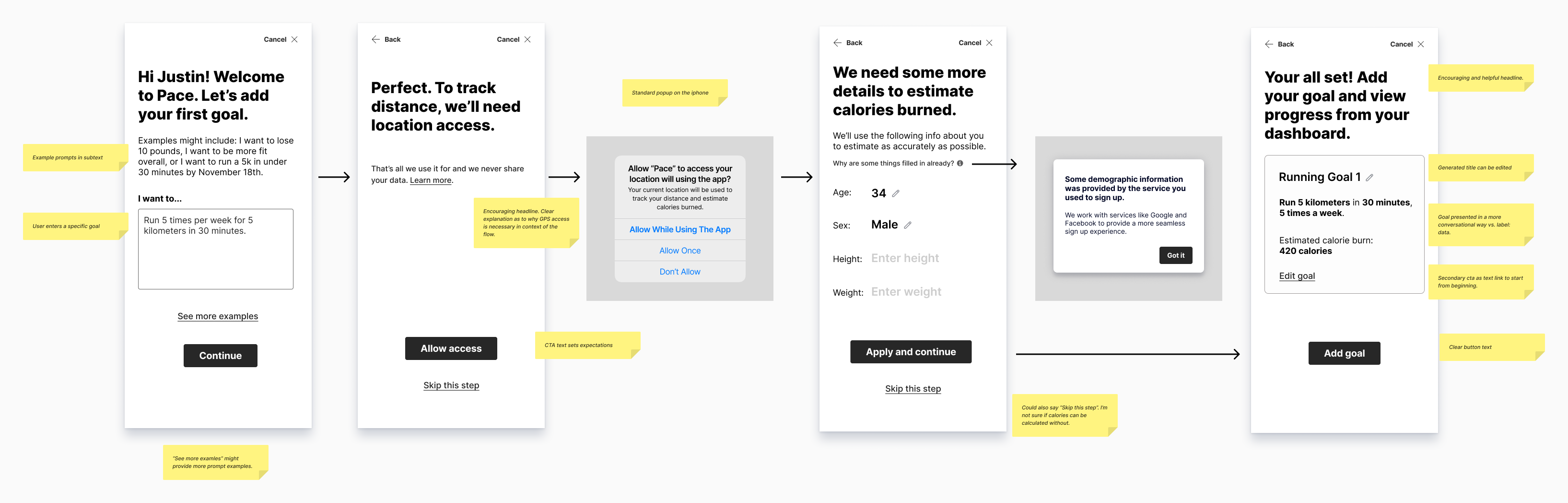
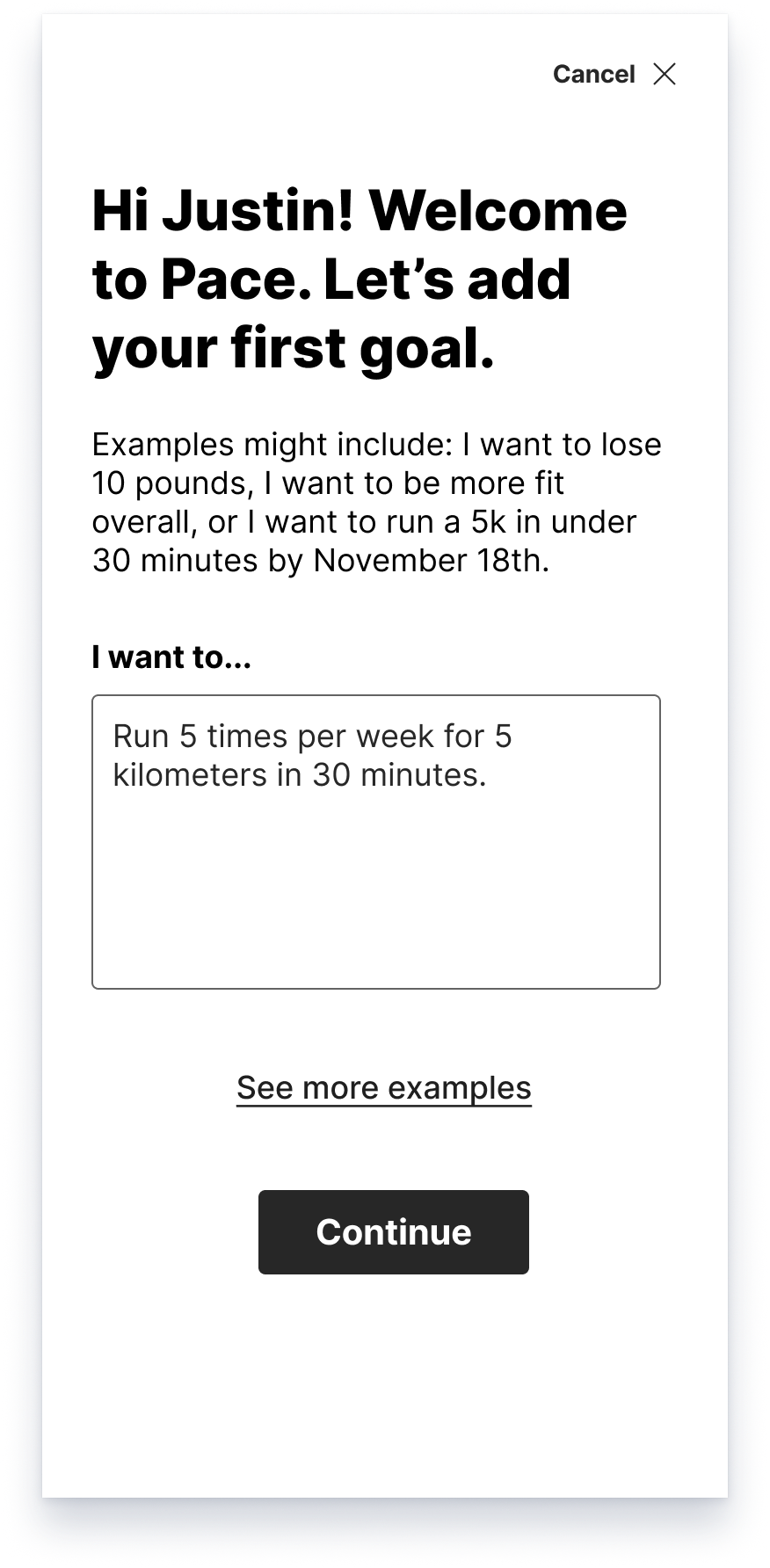
It occurred to me that we could probably skip most of the steps by just asking the user to state their goal and we can use AI to do the rest. We’d still have to get permission for GPS and get personal info for the calorie counter.

Key screens that change with the AI flow

What is the user's goal?
Rationale
  • Example prompts in subtext
  • User enters a specific goal
  • “See more examles” might provide more prompt examples.
Allowing GPS access
Rationale
  • Friendly headline. Clear explanation as to why GPS access is necessary in context of the flow.
  • CTA text sets expectations

← Back to projects